
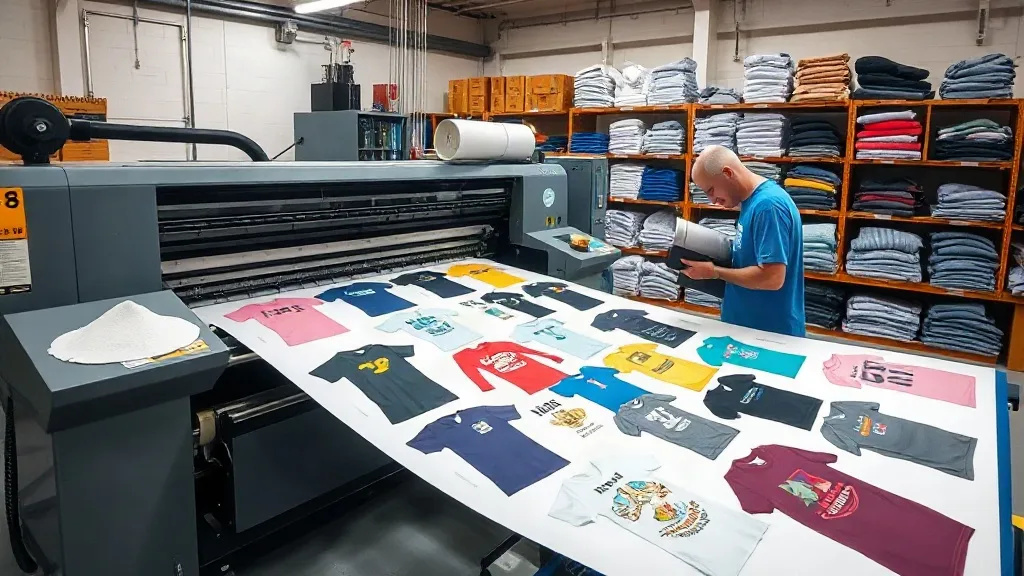
If you run a small apparel business, you've probably faced the dilemma of whether to print DTF transfers in-house or outsource them. In-house printing gives you control, but it also demands space, maintenance, and a learning curve that can eat into your profits. Outsourcing, on the other hand, can free up your time and reduce overhead, but only if you do it right. That's where the DTF Gangsheet comes in. By grouping multiple designs onto a single sheet, you can dramatically lower your per-print cost and simplify your workflow. In this guide, we'll walk you through the ins and outs of using DTF gangsheets for outsourcing, from file preparation to supplier selection, so you can make informed decisions and keep your customers happy.
What Is a DTF Gangsheet and Why Should You Care?
A DTF gangsheet is essentially a large sheet of DTF film that contains multiple printed designs, arranged to maximize the use of space. Instead of printing each design individually, you send a single file containing all your designs to a supplier, who prints them onto one sheet. This approach is not new; screen printers have used gang sheets for years to save on setup costs. But with DTF, the benefits are even more pronounced because there's no screen setup involved. You can mix and match designs of different sizes and colors on the same sheet, and the only limit is the width of the printer and the length of the film.
For a small print shop, the main advantages are cost savings and time savings. When you outsource gangsheets, you typically pay by the linear meter or per sheet, which can be significantly cheaper than ordering individual transfers. Plus, you only need to handle one order, one shipment, and one set of files, reducing administrative overhead. But to truly reap the benefits, you need to understand how to prepare your files correctly and choose a reliable supplier.
Preparing Your Artwork for a DTF Gangsheet
File preparation is where many shops stumble. If your files aren't set up properly, you risk delays, extra fees, or poor print quality. Here's what you need to know.
Resolution and Color Mode
Always supply your artwork at 300 DPI at the final print size. For DTF, use RGB color mode, as the printer's software will convert it to CMYK. Avoid using low-resolution images and scaling them up; that leads to pixelation. If you're using vector files, make sure all text is outlined to prevent font substitution issues.
Arranging Designs on the Sheet
The goal is to minimize wasted space. Most suppliers provide a template or specify the maximum width (often 13, 17, or 24 inches) and the length you're paying for. Arrange your designs with a small gap (about 0.25 inches) between them to allow for cutting. Rotate designs if it helps to fit more. Remember that DTF prints have a white ink layer, so overlapping designs will cause problems. Also, consider the grain of the film; designs should be placed straight, not at odd angles, to ensure consistent adhesion.
Adding Cut Lines and Registration Marks
Some suppliers require cut lines or registration marks to help with trimming. Check their guidelines. If they don't require them, you can add a thin outline around each design to make cutting easier later. But don't add too many elements that could confuse the printer's software.
Choosing a DTF Gangsheet Supplier
Not all suppliers are created equal. The quality of the film, powder, and printing process varies widely, and so does customer service. Here's what to look for.
Print Quality and Durability
Ask for samples before placing a large order. Check the vibrancy of colors, the sharpness of details, and the flexibility of the transfer. A good DTF transfer should stretch without cracking and survive multiple washes. Look for suppliers who use high-quality films and adhesives. Reading reviews and asking for references from other print shops can save you from costly mistakes.
Turnaround Time and Shipping
Time is money. A supplier who can turn around gangsheets quickly and ship reliably is worth their weight in gold. Inquire about their standard production time and whether they offer rush options. Also, consider the shipping cost and time, especially if you're ordering regularly. Some suppliers offer free shipping over a certain amount, which can add up to significant savings.
Pricing Structure
Gangsheet pricing is usually based on the length of the sheet. For example, you might pay per linear foot or per meter. Compare prices, but don't sacrifice quality for a few cents. Calculate the cost per design to see the real savings. Also, watch for setup fees or file review fees that some suppliers charge.
Integrating Gangsheets into Your Workflow
Once you've chosen a supplier, you need to integrate gangsheet ordering into your production process. Here are some tips.
Batch Your Orders
Instead of ordering as you go, collect orders over a week or two and then create one large gangsheet. This maximizes the use of space and reduces shipping costs. Use a spreadsheet or a simple design tool to plan your layout.
Keep a Library of Ready-to-Print Designs
If you offer popular designs, keep them organized and ready to go. When you need to fill a sheet, you can quickly add them. This also helps when a customer requests a design you've printed before.
Communicate with Your Supplier
Build a relationship with your supplier. Ask questions, provide feedback, and let them know your needs. A good supplier will work with you to ensure your files are correct and your orders are prioritized.
Common Pitfalls to Avoid
Even experienced shops make mistakes. Here are some to watch out for.
- Ignoring file specifications: Each supplier has specific requirements for resolution, color mode, and bleed. Follow them precisely.
- Overcrowding the sheet: Leave enough space between designs for cutting and to prevent ink bleeding.
- Not testing washability: Always wash a sample before committing to a large order.
- Forgetting about color profiles: If color accuracy is critical, ask your supplier about their color management.
Frequently Asked Questions
What is the typical turnaround time for DTF gangsheets?
Turnaround times vary by supplier, but most ship within 2-5 business days after file approval. Rush options are often available for an extra fee.
Can I mix different fabric types on one gangsheet?
Yes, the gangsheet is just the printed transfer. You can apply the transfers to different fabrics later. However, ensure that the designs are separated adequately for cutting.
How do I calculate the cost per design on a gangsheet?
Divide the total cost of the gangsheet (including shipping) by the number of designs. This gives you a rough cost per design, which you can use for pricing.
Do I need special software to create a gangsheet file?
Most design software (like Adobe Illustrator, Photoshop, or CorelDRAW) can create gangsheet files. Some suppliers offer online tools to help arrange designs.
What if my designs have fine details?
DTF printing can handle fine details well, but ensure your resolution is high enough. Also, avoid very thin lines that might break during washing.